Rabu, 01 September 2010

Sony Ericsson Vivaz (AT&T)

The Sony Ericsson Vivaz is a small and reasonably-priced phone with a terrific feature set, including most notably a full Web browser, an 8.1-megapixel camera, and HD video recording. But the Vivaz's balky, confusing, and often downright bizarre interface makes it a royal pain to use. As a result, I can't recommend it to anyone.

I'm not usually a hater. I like a wide range of devices—from the Symbian-powered, non-touchscreen Nokia E72 ($349, ) to the touchscreen Motorola Droid X ($199.99-569.99, ) and the hybrid BlackBerry Torch ($199.99-499.99, ). But all those gadgets have one thing in common: an interface that's at least somewhat adapted to their input method. Not the Vivaz, which combines a cheap, balky touchscreen, tiny interface elements, and itty-bitty ugly text to repel users.
View Slideshow See all (6) slides
Sony Ericsson Vivaz (AT&T) : Angle
Sony Ericsson Vivaz (AT&T) : Horizontal
Sony Ericsson Vivaz (AT&T) : Back
Sony Ericsson Vivaz (AT&T) : Angle

More

Physical Features and Phone Performance
The Vivaz is a small, light (4.2" x 2" x .5" HWD, 3.42 oz) candybar-style phone with a black front and blue or pink back. The plastic feels cheap and greasy to the touch. The 8.1-megapixel camera lens is on the back.
Specifications

Service Provider
AT&T
Operating System
Symbian OS
Screen Size
3.2 inches
Screen Details
640-by-360, 16m-color TFT LCD resistive touch screen
Camera
Yes
Network
GSM, UMTS
Bands
850, 900, 1800, 1900, 2100
High-Speed Data
GPRS, EDGE, UMTS, HSDPA
Processor Speed
720 MHz

More

The 2.8-inch screen is high resolution, but low quality. Even at 360 by 640 pixels, text and interface elements are often so tiny as to be nearly unusable. Colors seem pale, and the whole thing washes out in sunlight.

The Vivaz is an HSPA 3.6 phone that works on AT&T's and foreign 2G and 3G networks; it also features 802.11b/g Wi-Fi. The Vivaz gets mediocre reception, and it over-reports its signal strength. I had trouble connecting a call at one point while it displayed two bars. The earpiece and speakerphone are both clear, but not all that loud. Transmissions through the mic sound clear, but harsh and trebly, and plenty of background noise comes through. Battery life was decent for a 3G phone at 5 hours, 5 minutes of talk time.

The Vivaz comes with Vlingo's powerful voice command software, but you can't activate or even use it with a Bluetooth headset, and it's buried three levels deep in menus. By the time you find the voice command option, you might as well have typed the command.

Software and Interface
When I shook the box the Vivaz came in, a stylus on a little string fell out. That's a bad sign. If your phone needs a stylus to do anything other than write Chinese characters and make beautiful drawings, chances are your interface is totally broken.

As it turns out, the Vivaz has the worst interface I've encountered in years. You have to do everything on the touch screen, but the small, high-res screen shrinks many interface elements down to untouchably tiny size. Combined with the balky resistive screen, that results in a lot of inaccurate, frustrated grunting and stabbing.

The best example of this UI horror are the two on-screen keyboards. In portrait mode, the keys are insanely tiny. They make Palm Pre keys look like dinner plates. Turning the phone on its side, you get a landscape-mode keyboard that takes up the whole screen, so you don't see any of the context of what you're typing. The keyboard has no auto-correct, and it takes several presses to register many keys.

The horror doesn't stop there. Buttons don't do the expected; panels are pointless; programs crash. The phone's custom home screen consists primarily of a big animation of waves rather than useful widgets or data. You can easily jump over to a built-in Twitter app, which crashed several times during my testing.

The built-in Opera browser renders pages beautifully, but, once again, using it is a chore. Many pages default to showing text so tiny it's impossible to click on links. There is no pinch-zooming, and tap-zooming works unreliably. In the gallery app, swiping to the side didn't advance by one photo. It advanced by five or six, making it difficult to find an individual photo.

Apps and the Vivaz
The Vivaz's GPS works with free, built-in Google Maps, though once again text displayed was tiny, and I had to jab the Options button six times to pull up a menu. The assisted GPS locked in quickly, claiming I was a half-mile from my actual location.

The Vivaz is actually a Symbian Series 60 smartphone, but that won't matter much. The Vivaz's spec sheet shows a 720 Mhz processor, which should run apps well—if you can find them. AT&T's app store, which is a poorly-designed WAP page, only has a few apps. The adventurous can go out and try to find apps from GetJar.com and other third-party stores, but Symbian fans would be far better served by a higher-quality device like Nokia's N97 Mini ($449, ) and E72.

The built-in e-mail program supposedly handles POP and IMAP accounts, though it had trouble with my Google Apps account, and the phone comes with RoadSync to sync with Exchange. Typing e-mail on this device is so difficult, however, that it really doesn't matter whether the software works or not. The phone also comes with AIM, MSN and Yahoo!-compatible IM programs. Again, you won't want to type anything into these, either.

Multimedia
The Vivaz is a capable multimedia phone hobbled by annoying usability quirks. Take music, for instance. The phone has a 3.5-mm headphone jack, works with Stereo Bluetooth, and syncs with either Windows Media Player or Sony Ericsson's own Media Go software on the PC. So far, so good. The device only has 19 MB (!) of free memory, but it comes with a 2 GB MicroSD card, and my 16 GB SanDisk card worked fine.

The music player has one really annoying, unheralded problem: every time you add new songs, you have to hit an unlabeled "manual update" button on the phone, like you would on a Windows Mobile device from 2003. The phone also had problems identifying and filing podcasts I downloaded with Media Go.

Video on the Vivaz follows a similar storyline. The Vivaz plays WMV and MP4 videos in up to VGA resolution smoothly, and Media Go will reformat nearly any video playable on your PC into something that looks great on the phone's tiny, sharp screen. That screen is tiny, though. The Vivaz comes with YouTube and MobiTV streaming video apps which promise much. But MobiTV, especially, was sluggish and suffered from untouchably small interface elements.

The 8.1-megapixel camera gets absolutely terrific resolution (for a phone camera) in good light, with very little noise and good macro focus. Low-light shots, on the other hand, have the usual cameraphone blur problems caused by too-low shutter speeds. The phone records videos in 720p (1280x720) HD, but my test videos both had a strange skip in them a few seconds in. After that they were smooth, but a bit washed-out.

An Unfortunate Distinction
The Sony Ericsson Vivaz stands out in only one way: it has the worst user interface I have ever seen on a smartphone. The balky resistive touchscreen makes things worse, but I've seen good phones (from Samsung) with resistive touchscreens. The Vivaz' OS simply isn't designed to work well with fingers.

I wish I could recommend the Sony Ericsson Vivaz, because $79.99 (after rebate) for an 8.1-megapixel, 3G cameraphone with a full web browser and HD video recording sounds like a pretty great deal. But I can't. This may be the most infuriating, unusable phone in America. Avoid it.

Compare the Sony Ericsson Vivaz (AT&T) with several other mobile phones side by side.

Minggu, 08 Agustus 2010

Hulu Plus (iPhone)


  • Pros

    Superb video and audio quality over Wi-Fi and even 3G. Transparent user interface. Can pick up watching a show where you left off on a different device.

  • Cons

    No free iPhone or iPad version (unlike on the desktop). Expensive subscription pricing given the spotty show selection and mandatory commercials.

  • Bottom Line

    Hulu Plus is a solid iPhone app with excellent video performance over both 3G and Wi-Fi networks, but its episode catalog is still full of holes, and you still have to watch occasional commercials even with the subscription fee.

Hulu is already a smash hit on the desktop, but up until now the company has actively blocked its service from running on most mobile phones. Thanks to the new Hulu Plus app, iPhone and iPod touch owners can finally get in on the fun. The app hooks into the company's new $10 per month subscription service, which lets you watch many more episodes on your PC than you previously could for free. The iPhone app is an excellent start, although we'd like to see an even better catalog of TV shows and films.

Content, Setup, and User Interface
Hulu Plus gives you current season passes for many of today's top shows, including Grey's Anatomy, Family Guy, and 30 Rock, instead of just letting you watch the most recent five episodes. It also streams the entire back catalog for some (but not all) of those shows, such as Buffy the Vampire Slayer, Angel, Law and Order: SVU, and Ally McBeal. In addition to the Hulu Plus iOS app, which is the subject of this review, you can also access Hulu Plus on the desktop and through Samsung Internet-connected TVs and Blu-ray players. Hulu promises Sony PS3, Sony TV, and Vizio TV support soon; an Xbox 360 version will follow in early 2011.

View Slideshow See all (11) slides

Hulu Plus (iPhone) : Hulu Plus
Hulu Plus (iPhone) : Free Gallery
Hulu Plus (iPhone) : Popular
Hulu Plus (iPhone) : Search

More

For now, the service is only available via invite. You can get one by requesting it from the site directly, or simply chatting about the service on Twitter or Facebook; a representative may see your comment and decide to throw you an invite. The iOS version of Hulu Plus works on the iPhone, iPad, and 3rd generation iPod touch, and requires iOS 3.2 or later. For this review, I tested Hulu Plus 1.0 on a 16GB iPhone 3GS ($99, ) running iOS 4.

Specifications

Type
Personal
More
0diggsdigg

The main UI couldn't be simpler. When launched, the app opens to a free gallery that includes selected episodes from some popular shows. Along the bottom of the screen are five icons: Free Gallery, Featured, Popular, Search, and More. The Episodes button on the top right lets you switch to clips, trailers, and full-length movies. Featured and Popular are self-explanatory, and mirror the desktop site. The Search box lacks a type-ahead feature, but it otherwise worked quickly in my tests for finding specific shows.

The More button displays additional options for browsing the entire catalog by TV shows, movies, or recently added episodes. You can manage your queue from here or pick up where you left off from one device to the other. The Movies pane is fairly sparse; there's about 100 flicks in there, and most of them are either old or produced by smaller independent studios. In testing, the UI felt smooth and responsive, and more polished than Netflix's iPad app (Free, )—though the good stuff was yet to come.
Video Performance, a Few Quirks, and Conclusions
Hulu Plus streams video over both 3G and Wi-Fi. The PC app can display up to 720p (1280-by-720) high definition resolution, though obviously you won't get that on an iPhone; even the new iPhone 4 has only a 960-by-640 screen. Video quality was spectacular, both over Wi-Fi and over 3G. The Wi-Fi picture was a little sharper and more vibrant. But the 3G picture certainly held its own, with no evidence of pixelation or stuttering; the frame rate remained smooth.

You can fast forward or back by dragging your finger along the slider at the bottom of the screen. The picture works in portrait or landscape mode, though landscape mode is obviously preferred; the UI itself only works in portrait mode. Stereo audio quality also held up, though as with any phone, you'll want to use quality earbuds or headphones for the best effect. Some movies contain dialog that's tough to hear through the iPhone's small speaker, even at maximum volume.

What you don't get with Hulu Plus is access to a lot of popular shows from many of its member channels. HBO and Showtime supply content to Hulu, for instance, but they're holding back on The Sopranos, The Tudors, and True Blood. Hulu also advertises channels that have few shows—or even one, in the case of BBC America, which only shows episodes of The Office and not, say, Doctor Who. Another glitch: don't accidentally bump the power button on the iPhone, like I did. When I did that, the app threw me out of a show completely. I had to navigate back to the video, cue it up again, and watch another 30 second commercial, before it resumed where it left off. I also noticed a few momentary freeze-ups when navigating the UI, though streaming was surprisingly stutter-free.

Hulu has put together an excellent app marred by a spotty content selection and a high price. I'd probably use Netflix's iPad app, or wait for their iPhone version before signing up for Hulu Plus, especially since a Netflix subscription comes with the added bonus of DVD rentals. However, if you were already thinking of paying the $10 per month for Hulu's desktop login, the iPhone version is a sweet, added bonus.

Heck, get both Hulu Plus and Netflix if you have the budget. Aside from live sports and breaking news, you'll probably never miss that expensive cable TV subscription.

Minggu, 18 Juli 2010

imei change tutorial for sonyericsson


Supported Modeles:
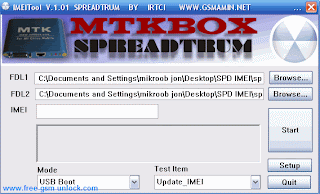
Change IMEI Chinese Phone

Download
http://rapidshare.com/files/307744896/China_IMEI_Changer-www.free-gsm-unlock.com.rar

Imei Change Tutorial BY Download Sony Ericsson XPERIA

1.
Choose correct model
(only DB2000/DB2010 phones supported,
from 093 version CID49/51 DB2012/DB2020 phones supported via patch,
from v0.914029 DB2010/DB2020/PNX5230 CID49/CID50/CID51/CID52/CID53 supported via patch)

2. Choose "SETTINGS" tab.
Check

"PATCH OTP<>GDFS CHECK IN FIRMWARE"
"ALLOW TO CHANGE IMEI WHEN UNLOCKING"
for DB2012/DB2020 only
"USE SERVER FOR UNLOCK/FLASH"
"USE ALTERNATIVE SECURITY BYPASS"


3. go back to SEMC tab, press UNLOCK

4. when prompted, enter needed IMEI,

NOTE:
for pnx5230/db2012/db2020 phones REAL IMEI NOT changed, flashpatch "forges" IMEI via some trick.
no worry though, network (and customer) will see NEW IMEI.
but, once phone will be updated on SEUS it will return to original IMEI.
same applies to flashing main part of firmware.

you need 1 credit to change IMEI for db2010/db2020/pnx5230 phones cid49/cid50/cid51 phones,
you not need anything for cid52/cid53 db2010/db2020/pnx5230 phones (setool2 version should be >=v0.914029)
you NOT need anything for cid49 db2000/db2010 phones.

see carefully bro he says Imei Change Tutorial

Imei Change Tutorial BY JAF 1661 , 5030 , 1662 & 1202


1: Rad info ( INF )
2: Flashing last version or original
3: Imei tool
4: write new IMEI
5: press IP2 METHOD
6: selecc a file MCU ( THE SAME )
7: Ignate in CONTACT SERVICE
8: Whit RSA UNLOKER ( by lavarow)
9: Press UNLOCK
10: DONE a new IMEI BY JAF... FULL SIGNAL

How Change Imei To S1 Platform Sony Ericsson

This article is for those of you, who just need to set correct IMEI value.
It will not help to make Format or flashing!
this method does not require neither cable assembling nor pinfinder usage.

first of all turn On bluetooth

Click this bar to view the full image.


Click this bar to view the full image.


Click this bar to view the full image.


Click this bar to view the full image.


Click this bar to view the full image.


Click this bar to view the full image.


Click this bar to view the full image.


Click this bar to view the full image.


Click this bar to view the full image.


Click this bar to view the full image.


and set correct IMEI value using "IMEI change mode-1"

Minggu, 04 Juli 2010

Sponsored Links Sony Ericsson Phone IMEI Change

Imei Change Tutorial BY JAF 1661 , 5030 , 1662 & 1202
Imei Change Tutorial BY JAF

1: Rad info ( INF )
2: Flashing last version or original
3: Imei tool
4: write new IMEI
5: press IP2 METHOD
6: selecc a file MCU ( THE SAME )
7: Ignate in CONTACT SERVICE
8: Whit RSA UNLOKER ( by lavarow)
9: Press UNLOCK
10: DONE a new IMEI BY JAF... FULL SIGNAL

Design by infinityskins.blogspot.com 2007-2008